Mostrando entradas con la etiqueta Video. Mostrar todas las entradas

domingo, 9 de marzo de 2014

KineMaster Pro – Video Editor v2.1.23.3819.PRO


KineMaster Pro – Video Editor v2.1.23.3819.PRO

*** The very best choice for android mobile video editing! The Premium video editor, KineMaster ! ***
KineMaster is the 1st & only the video editor on Android to surpass the great features offered in the iMovie on iOS.
With the KineMaster’s diverse themes, make very professional quality awesome movies from the any videos, images, & music are directly on your android device.
Edit & share the video directly to Facebook & the many other social networks at the any very desired resolution up to the Full HD (1080p) in a snap!

What's New
Version 2.1.23
- Added support for the German
- Added the video speed control (0.25x ~ 1.5x) feature
- Added support for exporting the video at a additional resolutions (540p & 360p) on some compatible android devices.
- Bug fixes


KineMaster Pro – Video Editor v2.1.23.3819.PRO


KineMaster Pro – Video Editor v2.1.23.3819.PRO


KineMaster Pro – Video Editor v2.1.23.3819.PRO


KineMaster Pro – Video Editor v2.1.23.3819.PRO


KineMaster Pro – Video Editor v2.1.23.3819.PRO


Require 4.1 and Up & File Size 14mb

GOOGLE PLAY

APK

sábado, 16 de noviembre de 2013

Freedom v0.9.7 (With Video Tutorial Taking Example Of Real Player) How To Do Or HACK IN-APP-PURCHASE In Android Apps For Free


========================VIDEO TUTORIAL=======================


Requirements: Android 2.+ Rooted Device
 

Overview: 
If you use this App and you have an error, please change your language to russian or change the Timezone to Moscow (GMT +4)
After activating the game with the freedom-app you can change it back to your language

Privacy

Freedom is local solution, so all data it need is stored directly on your device. We don't collect any your private data. And yes, we can't say the same about Google.

Legal
This software is not a Crack. No services or software were damaged. Freedom doesn't interfere in work of Google servers.
Remember: Freedom launcher was made only for legally installed applications. You can use this application to get content, already included in these apps. Please do not pirate Google Play apps.
How To use:-
1. Download Freedom APK file (link at the bottom).

2. Install Freedom on your device and launch it.
Make sure that you have "Unknown sources" enabled in your security settings.

3. Install downloaded APK and launch it (first launch takes a while, please be patient), allow superuser permissions request.

4. Launch application through Freedom
Tap on application in which you want to use free in-app purchase, wait a little. Application should start automatically.
Next, make your in-app purchase (appearing of FreeCard means that Freedom is running successfully):

You should use Freedom every time you want to use free in-app purchase, e.g. Freedom is a launcher for your apps.
And this program does not work with online applications and will never work with online applications.

If you want to remove Freedom, first launch it, go to MENU, then tap on STOP. Next you can remove Freedom successfully. IF YOU DID NOT DO IT - YOU ARE NOT ABLE TO USE GOOGLE PLAY WITHOUT FREEDOM!

If you are experiencing force closures or your screen goes black and the app it closes then follow these instructions:
1. Click "MENÙ" on your phone and go to "SETTINGS".
2. On "SETTINGS" scroll down and go to "DATE & TIME".
3. Uncheck "AUTOMATIC TIME ZONE".
4. Go to "SELECT TIME ZONE" and choose "Moscow GMT+4".
5. Go back to the home, run FREEDOM app again, and have enjoy!


===============================================================
IF PROBLEM PERSIST IN DOWNLOADING

USE STOCK BROWSER TO DOWNLOAD
REMEMBER TO UNCHECK "DOWNLOAD WITH OUR MANAGER" =============================================================== 

Download Full Version Here:-
http://q.gs/53NcS
File size:- 0.9mb


Mirror


File size:- 0.9mb

jueves, 12 de septiembre de 2013

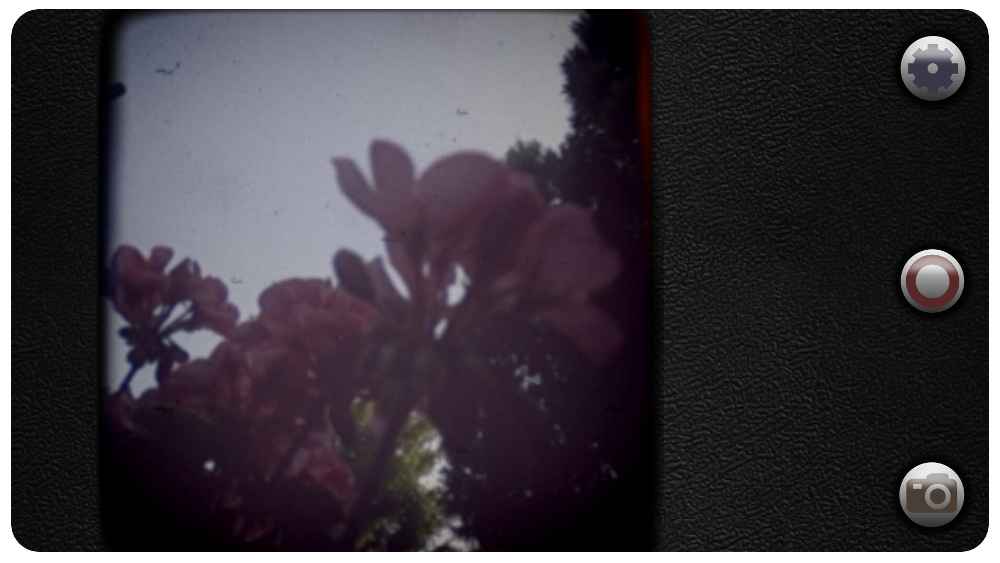
Vintage 8mm Video Camera v2.7 apk


Requiremetns:- Android 4.0.3 and up
Overview:-
Record awesome vintage videos and take beautiful old-school photos, with realtime live preview! This app mimics old 8mm video cameras giving a warm, nostalgic look to your media.

Newly added: Go silent, record audio, or even add your own music track to videos!

5 decade filter presets as well as "Manual Mode", where you can fine tune each aspect of the color grading and effects to add your own artistic creativity.

Saves to common video and photo formats (.mp4 and .jpg) so you can share to any of your social networks.
Sharing on Instagram: You can now share your videos on Instagram! Open up the Instagram app and select the video from your "Vintage 8mm" folder in your gallery to share.

Low resolution options so you can fit media into texts.

Supports back or front-facing cameras (for devices that support it).

The app also has an automatic bug reporter, so if the app crashes you can email us an error report with just a couple of taps so we can fix the issue ASAP. We update regularly, adding new features and presets, improving performance, and fixing bugs.

What's New
2.7 - Minor bug fix for a certain few phones. Version 3.0 coming in the next few days with new features!

******************
Google Play Store
Cost:- $1.98 or Rs.118.05

Download Full Version Here:-


File size:- 5.8mb

miércoles, 14 de agosto de 2013

Vintage 8mm Video Camera v2.2 apk Full


Requirements:- Android 4.0.3 and up
Overview:-
Record awesome vintage videos and take beautiful old-school photos, with realtime live preview! This app mimics old 8mm video cameras giving a warm, nostalgic look to your media.

Newly added: Go silent, record audio, or even add your own music track to videos!

5 decade filter presets as well as "Manual Mode", where you can fine tune each aspect of the color grading and effects to add your own artistic creativity.

Saves to common video and photo formats (.mp4 and .jpg) so you can share to any of your social networks.

Low resolution options so you can fit media into texts.

Supports back or front-facing cameras (for devices that support it).

The app also has an automatic bug reporter, so if the app crashes you can email us an error report with just a couple of taps so we can fix the issue ASAP. We update regularly, adding new features and presets, improving performance, and fixing bugs.

******************
Google Play Store

Download Full Version Here:-


File size:- 5.8mb

viernes, 12 de julio de 2013

Archos Video Player v7.5.2 apk download


REQUIRES ANDROID:Varies with device
Description
ARCHOS makes Video Player app available for all Android tablets and phones (requires Android 4.0 or later)!
The critically acclaimed Archos video player app offers an uncompromised multimedia experience.
- Hardware accelerated video decoding support for most devices and video formats;
- Ability to play content from any computer/network storage in your local network (SMB and UPnP) or from an external USB storage device;
- Automatic online retrieval of Movie and TV show information with poster and backdrop for both local and network content;
- Integrated subtitle downloader;
- Network indexing: import remote shared folders (SMB) in your multimedia library;
- Video browsing with either folder or library based navigation;
- Ubiquitous access to TV shows sorted in a series/season/episode hierarchical view;
- Multi-device network video resume;
- TV friendly: Keyboard/remote control compatible.
* Note that if you experience any issue with video hardware decoding you can force software decoding in Archos Video Player application settings to watch your video.

TAGS: Video Player, Video Browser, Video Library, UPnP, SMB, NAS, Hardware accelerated video decoding, Movie Library, Media Library, Indexing, TV Show, Season, Episode, Subtitles, MKV, MP4, AVI, SRT
******************
Google Play Store
Cost:- Rs.299.00

Download Full Version Here:-


File size:-7.6 Mb

sábado, 1 de junio de 2013

Archos Video Player v7.5.1 apk download


Requirements:-4.0.3 and up

Overview:- ARCHOS makes Video Player app available for all Android tablets and phones (requires Android 4.0 or later)!
The critically acclaimed Archos video player app offers an uncompromised multimedia experience.
- Hardware accelerated video decoding support for most devices and video formats;
- Ability to play content from any computer/network storage in your local network (SMB and UPnP) or from an external USB storage device;
- Automatic online retrieval of Movie and TV show information with poster and backdrop for both local and network content;
- Integrated subtitle downloader;
- Network indexing: import remote shared folders (SMB) in your multimedia library;
- Video browsing with either folder or library based navigation;
- Ubiquitous access to TV shows sorted in a series/season/episode hierarchical view;
- Multi-device network video resume;
- TV friendly: Keyboard/remote control compatible.
* Note that if you experience any issue with video hardware decoding you can force software decoding in Archos Video Player application settings to watch your video.
TAGS: Video Player, Video Browser, Video Library, UPnP, SMB, NAS, Hardware accelerated video decoding, Movie Library, Media Library, Indexing, TV Show, Season, Episode, Subtitles, MKV, MP4, AVI, SRT


******************
Google Play Store
Cost:- Rs.299.00

Download Full Version Here:-


File size:-7.7 MB

jueves, 9 de mayo de 2013

AndroVid Pro Video Editor v2.0.6 apk download


Requirements:- Android 2.1 and up
Overview:-
*** UNINSTALL OR TURN RECORDING OFF IN FREE VERSION JUST AFTER PRO IS INSTALLED ***

Pro version of Call Recorder without Ads and includes additional features.
Pro version of Call Recorder application has an ability to:
- Enable/Disable call recording.
- Records all your phone calls.
- Play/Stop recorded audio by touch on the item
- Delete recorded items.
- Lock recorded items to prevent from auto-cleaning
- Send selected records to email.
- Confirmation dialog: Would you like to keep recorded call that is shown just after the call.

Settings:
- Enable/Disable notifications.
- Show confirmation dialog.
- Configure automatic cleaning.
- Recording source.
- Recording quality.
- File format.
- Recording channel.

If you want to have it in your language and ready help with translation - you are welcome! Please, contact me.
Records are available in the CallRecorder folder in the SD card of your phone.

What's in this version:
ver 1.8
- Updated user interface
- Added Search functionality
- Improved sharing functionality

******************
Google Play Store
Cost:- $2.60 or Rs.139.00

Download Full Version Here:-

File size:- 7.4mb
Related Posts Plugin for WordPress, Blogger...

ShareThis